Supported Network at Launch
- Ethereum (ERC20)
- 7 supported tokens available, 1,226 after next update
New blockchain networks will be added progressively, with new network announced soon!
How to Use Palladium Swap
Follow the steps below to complete a token swap:
1. Connect Wallet
Open the Palladium Swap interface and click Connect Wallet.
Select your preferred Ethereum-compatible wallet and approve the connection request.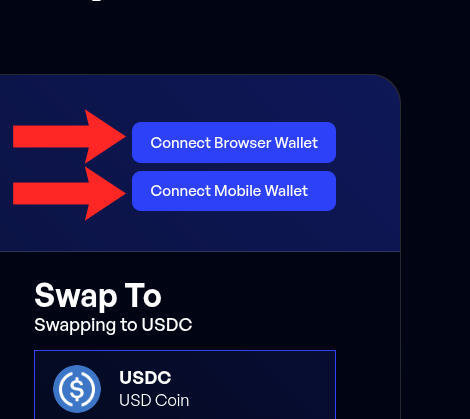
2. Select Network
Choose the blockchain network you want to use.
At launch, Ethereum (ERC20) is available, with more networks coming soon.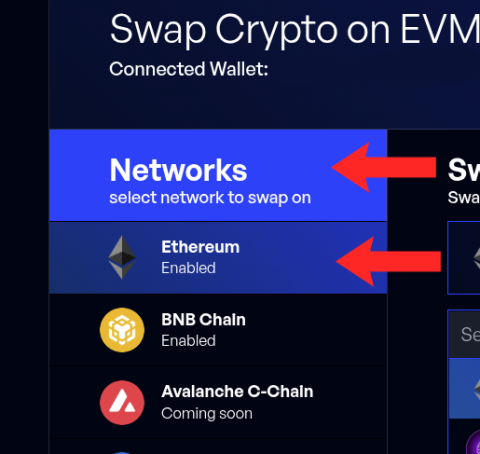
3. Select Base Token
Select the base token — the token you want to swap from.
Make sure you have a sufficient balance in your connected wallet.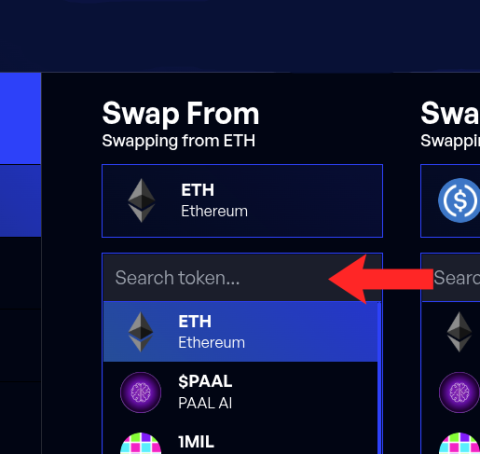
4. Select Target Token
Choose the target token — the token you want to receive from the swap.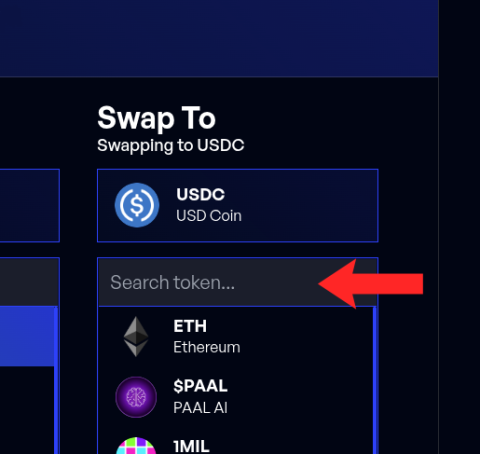
5. Enter Amount
Enter the amount of the base token you wish to swap.
The interface will automatically calculate the estimated output amount.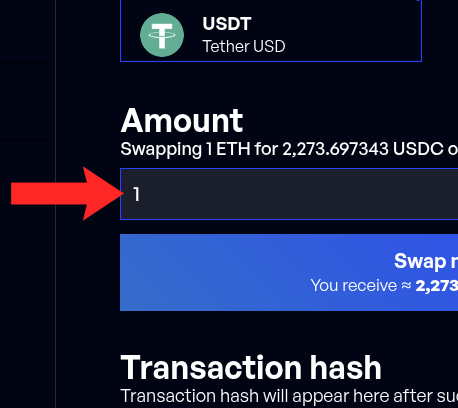
6. Submit the Swap
Review all swap details carefully, then click Submit Swap.
Confirm the transaction in your wallet and wait for network confirmation.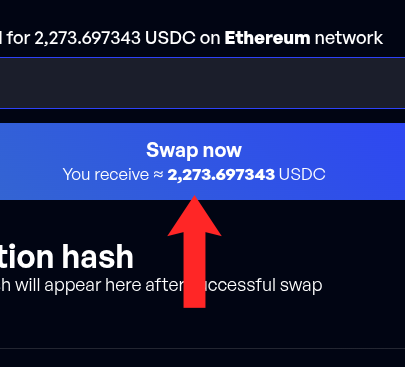
Once confirmed on-chain, the swapped tokens will appear in your wallet.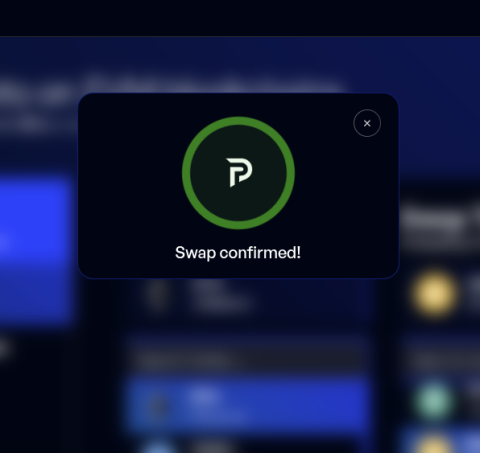
Important Notes
- Ensure you have enough ETH to cover Ethereum gas fees
- Always double-check token selections and amounts before confirming
- Transactions are executed directly from your wallet — Palladium does not hold user funds
What’s Next?
Palladium Swap is designed as a multi-network infrastructure component.
Following the Ethereum launch, new networks will be introduced gradually, with regular announcements as each becomes available.
Start Swapping
Use Palladium Swap now: https://plld.net/swap